My Journey to 3D Modeling: From $3,000 in Assets to Building My Own
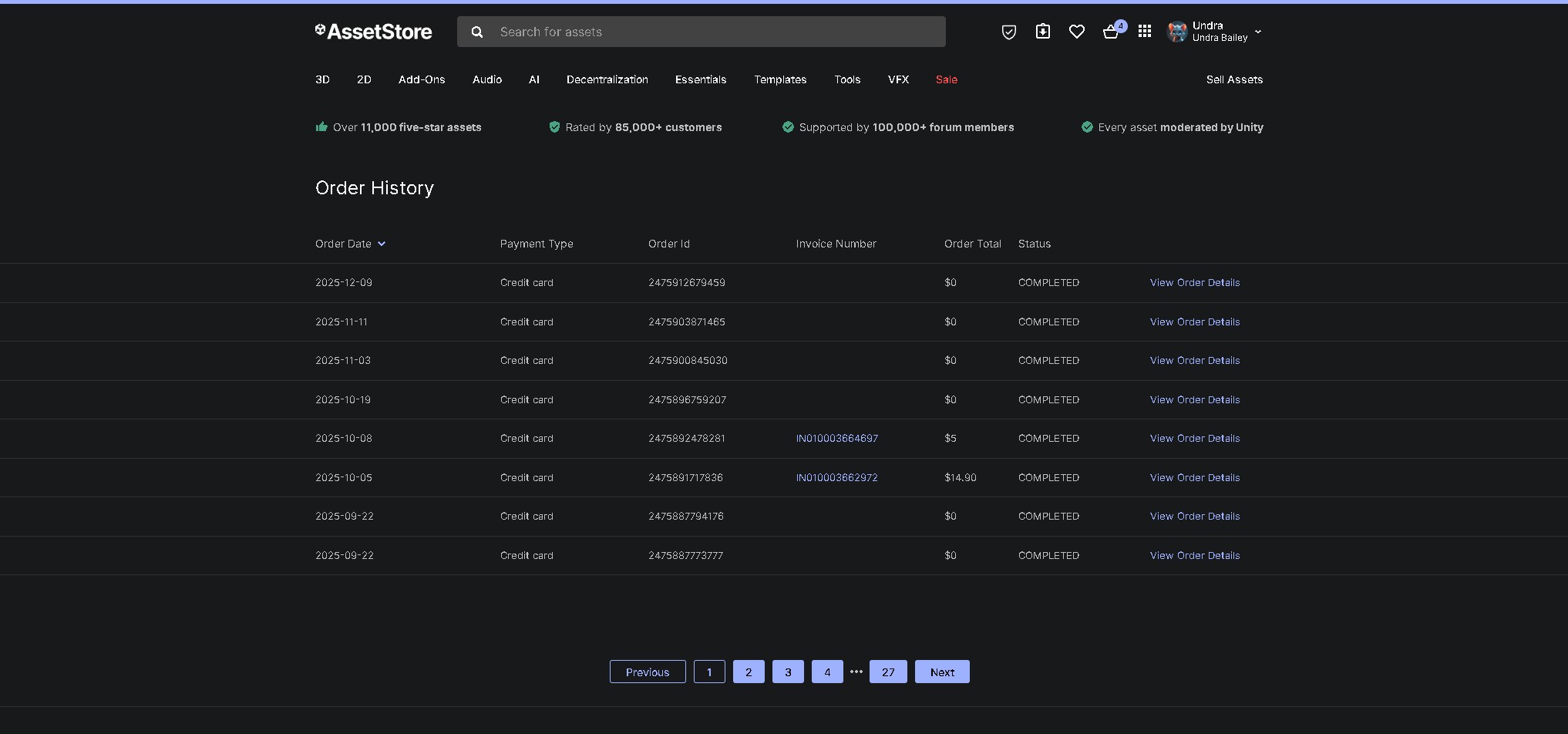
My Unity Asset Store purchase history - over $3,000 spent before learning Blender
Introduction
I need to confess something: I've spent over $3,000 on Unity Asset Store purchases. Yeah, you read that right. Three. Thousand. Dollars.
For years, I was the guy clicking "Add to Cart" every time I needed a sci-fi door, a character model, or a UI pack. I told myself I was being efficient. "Why waste time learning 3D modeling when I can just buy assets and focus on game development?"
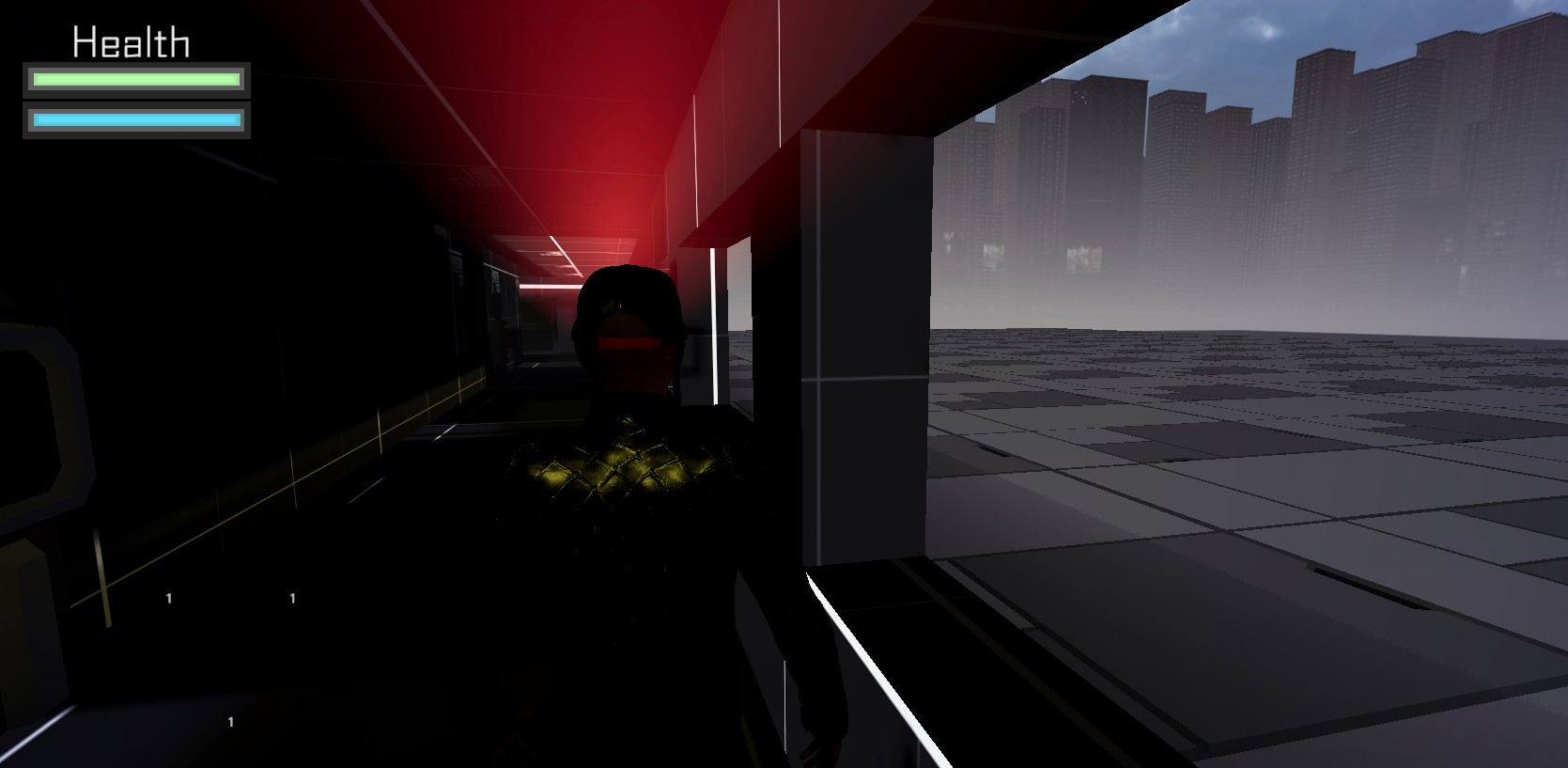
A level from Sentinel 2099 - everything you see here was modeled in Blender
Looking back now, as I design custom levels in Blender for my game Sentinel 2099, I can't believe how long I resisted learning 3D modeling. Today, I want to share my journey from asset-dependent developer to someone who can create exactly what I envision.
If you're in that same "buy everything" phase right now, this post is for you.
The Asset Store Addiction Phase
When I first started game development, the Unity Asset Store felt like paradise. Need a forest? $20. Need a character controller? $15. Need particle effects? $30.
It was fast. It was easy. And honestly, it was addictive.
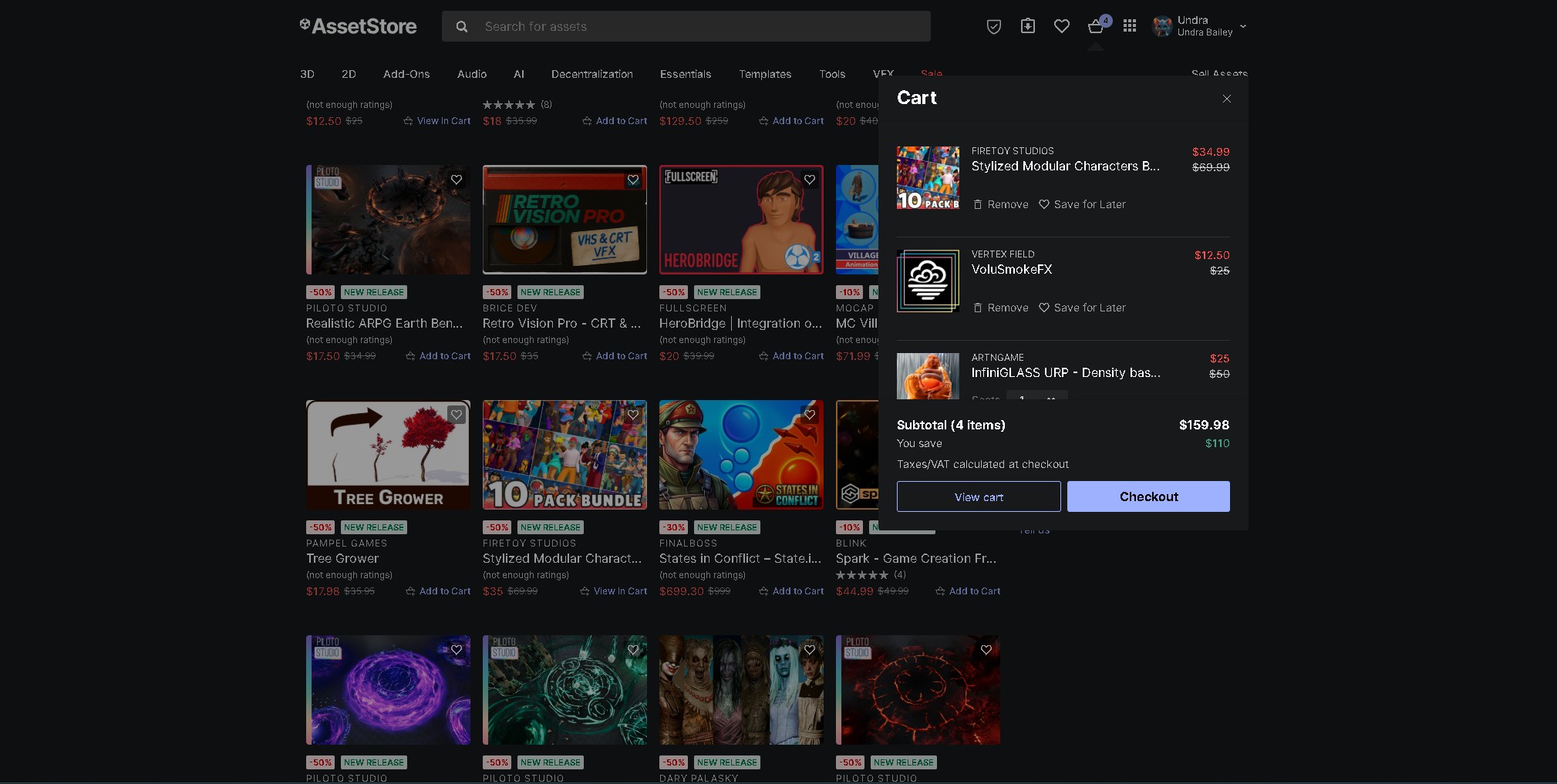
This was a typical shopping cart for me - multiple assets per session
My justification at the time:
- "I'm a game developer, not a 3D artist"
- "Learning Blender would take too long"
- "Assets are affordable compared to hiring an artist"
- "I need to focus on gameplay, not art"
All of these seemed reasonable. And to be fair, for prototyping and testing game mechanics, bought assets absolutely have their place.
But over time, cracks started appearing in this approach.
The Moment I Realized I Had a Problem
The breaking point came during development of an earlier project. I needed a specific type of industrial door with a control panel. Something that fit my game's aesthetic perfectly.
The $155 Door Saga: I bought four different door asset packs trying to find the perfect fit. Total spent: $155. Result: Still didn't have what I needed. That's when everything changed.
I had spent $155 on door assets, and still didn't have what I needed. That's when it hit me: I was spending money trying to find someone else's interpretation of my vision, when I could be building exactly what I wanted.
The Fear of Learning 3D Modeling
Despite that realization, I still hesitated to learn Blender. The fear was real.
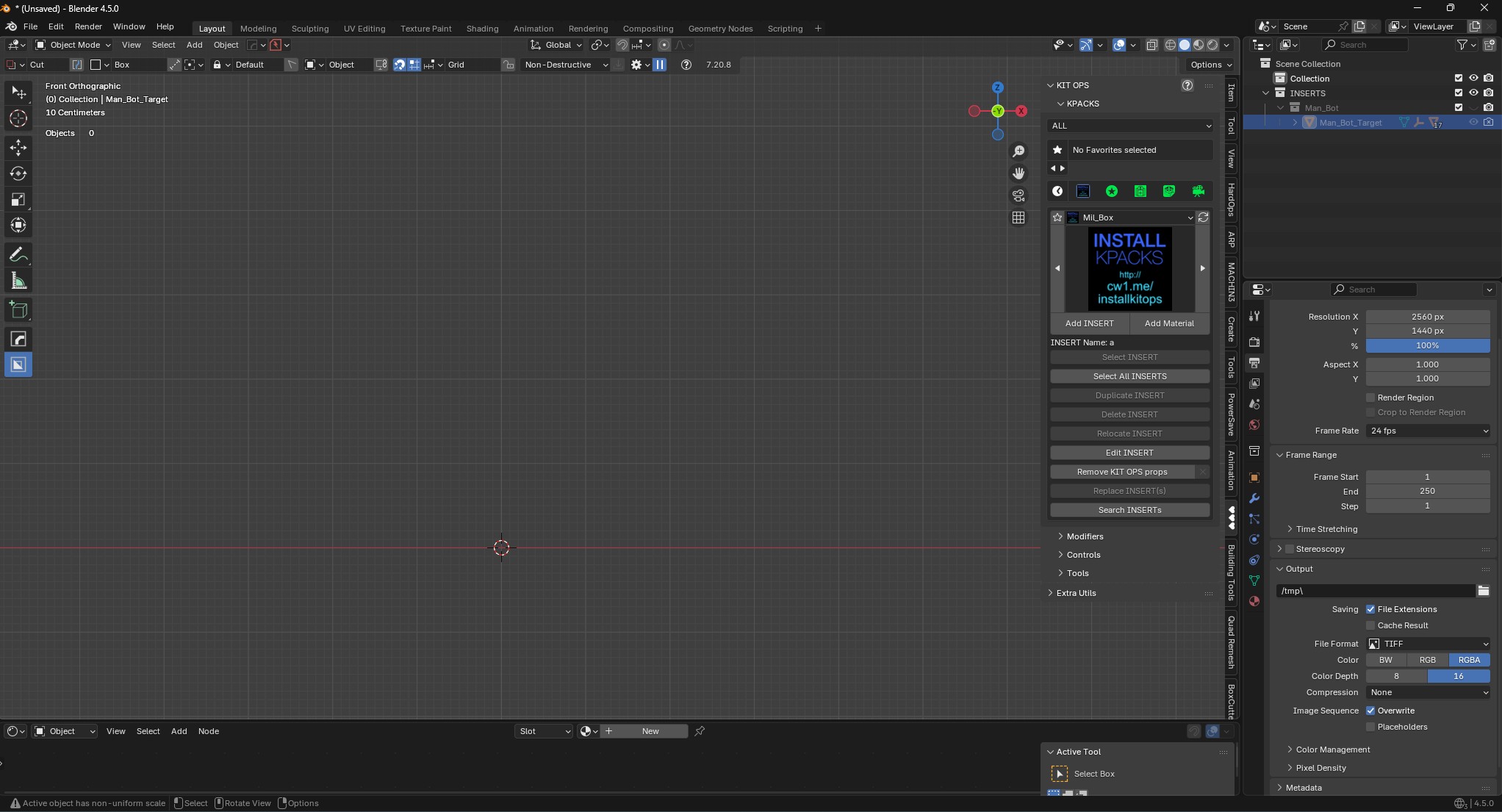
My first time opening Blender - intimidating doesn't begin to describe it
What scared me:
- "3D modeling looks incredibly complex"
- "It'll take years to get good enough"
- "I'll have to learn a completely new skill set"
- "What if I'm just not artistic enough?"
- "I should be spending this time on game development"
Taking the Plunge: My First Steps in Blender
I'm not going to sugarcoat it—the beginning was rough.
Blender's interface is notoriously intimidating. Everything uses keyboard shortcuts. The mouse buttons work differently than you'd expect. I spent my first hour just trying to figure out how to move objects around.
My early experience:
- Week 1: Struggled to create a simple cube and move it
- Week 2: Made my first "donut" following a tutorial (if you know, you know)
- Week 3: Created an absolutely terrible sci-fi crate
- Week 4: Made a slightly less terrible sci-fi crate
- Month 2: Built something I was actually proud of—a simple terminal prop
The Breakthrough Moment
About three months in, something clicked.
I was working on Sentinel 2099 and needed a specific wall panel. Instead of searching the Asset Store, I thought: "I bet I could make this."
Two hours later, I had created it. Imported it into Unity. Placed it in my level.
The wall panel that changed everything - my first custom asset in Unity
And it looked exactly how I wanted it to look.
I can't fully describe that feeling. It wasn't just satisfaction—it was freedom. For the first time, my game could look exactly like the vision in my head, not like someone else's interpretation.
Investing in Tools: The Addon Game-Changer
Once I committed to Blender, I started investing in addons that would make me more efficient.
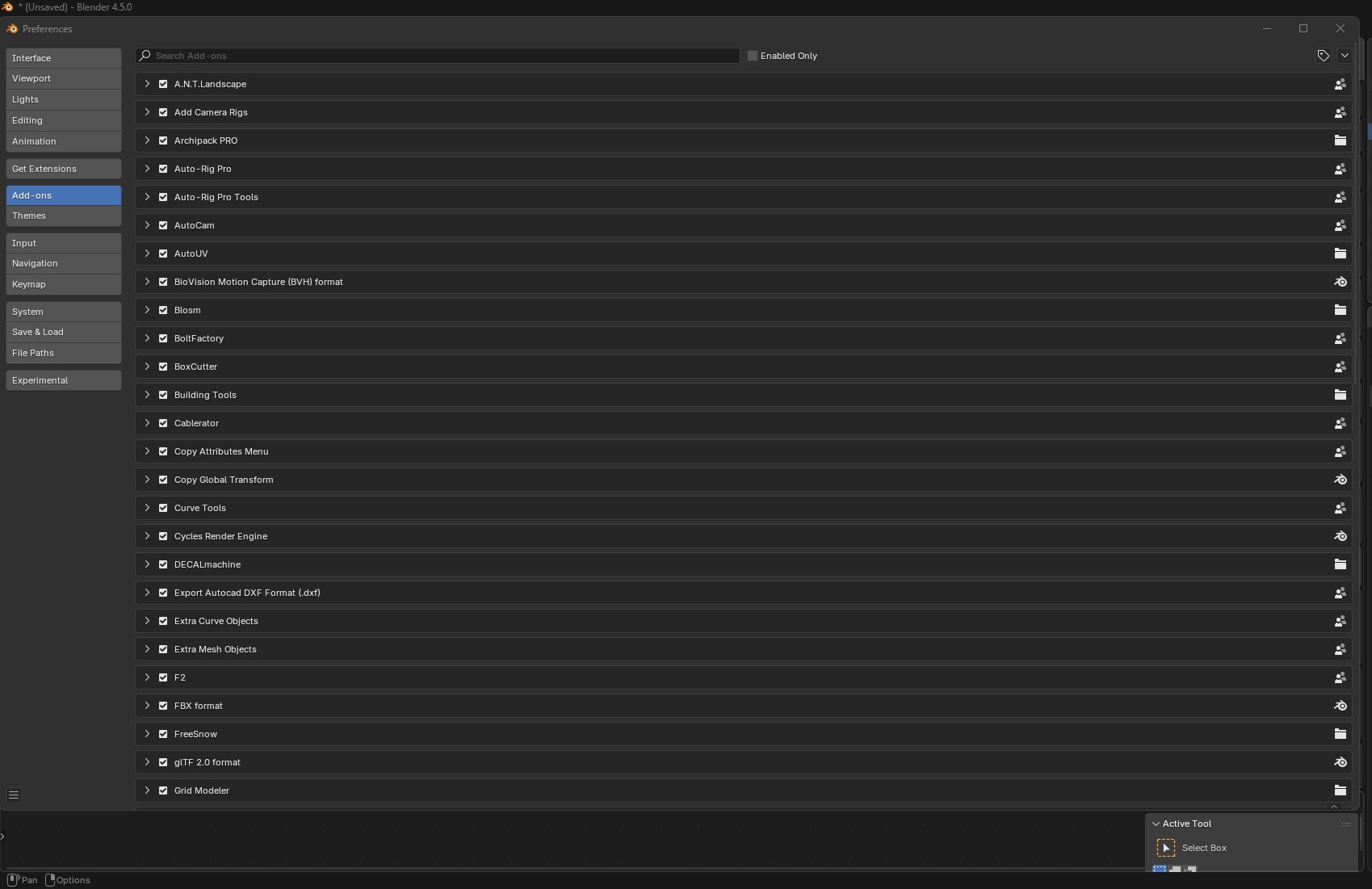
My essential Blender addons - $275 that changed my workflow forever
BoxCutter & Hard Ops (~$40 combined)
This duo changed everything for hard surface modeling. What used to take me hours of manual boolean operations now takes minutes.
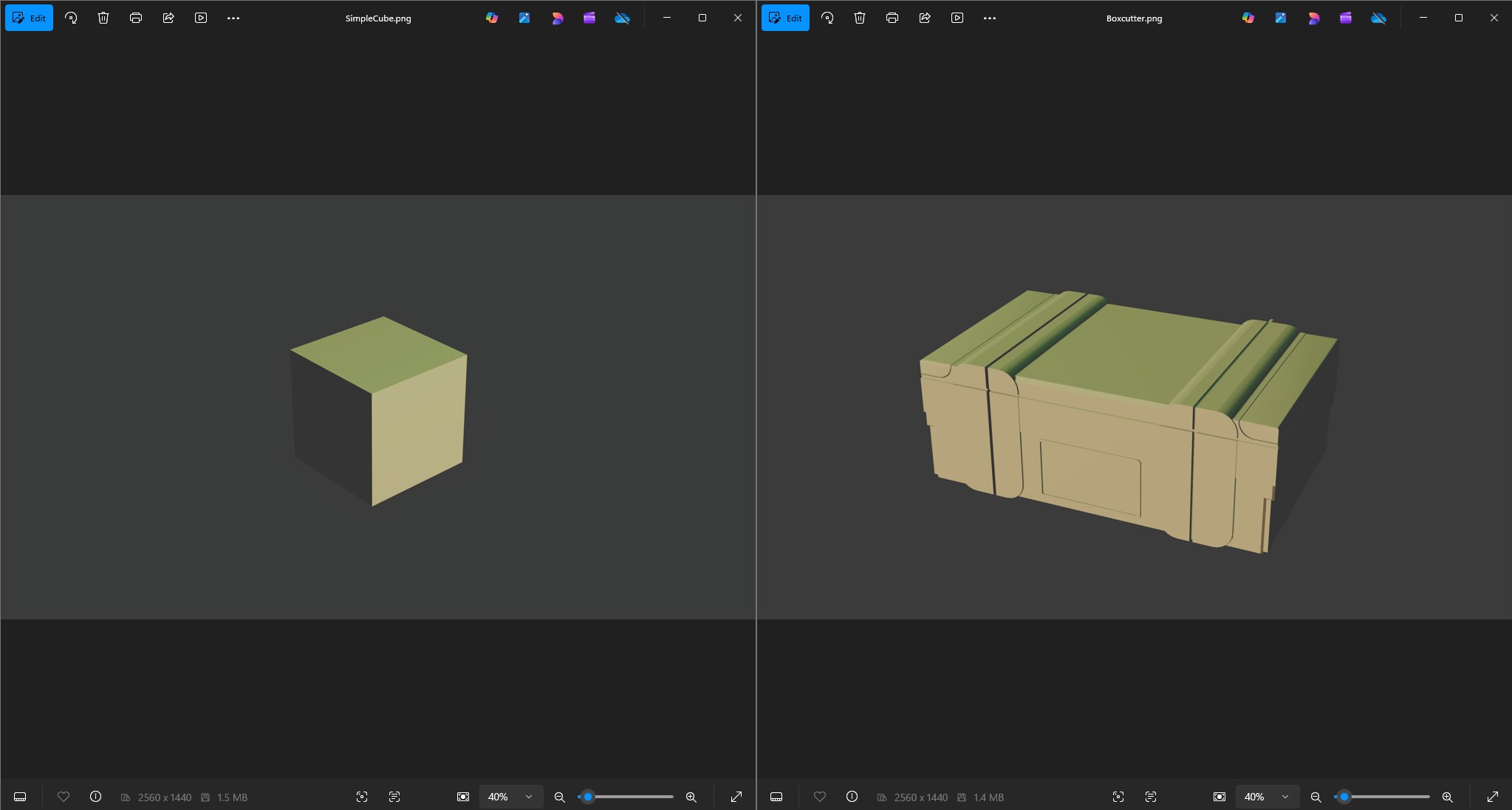
BoxCutter in action - what took 2 hours now takes 10 minutes
What it does: Fast, non-destructive boolean cutting and hard surface modeling
Worth it? Absolutely. Essential for sci-fi modeling.
Grid Modeler (~$20)
Perfect for creating sci-fi paneling and technical details quickly.
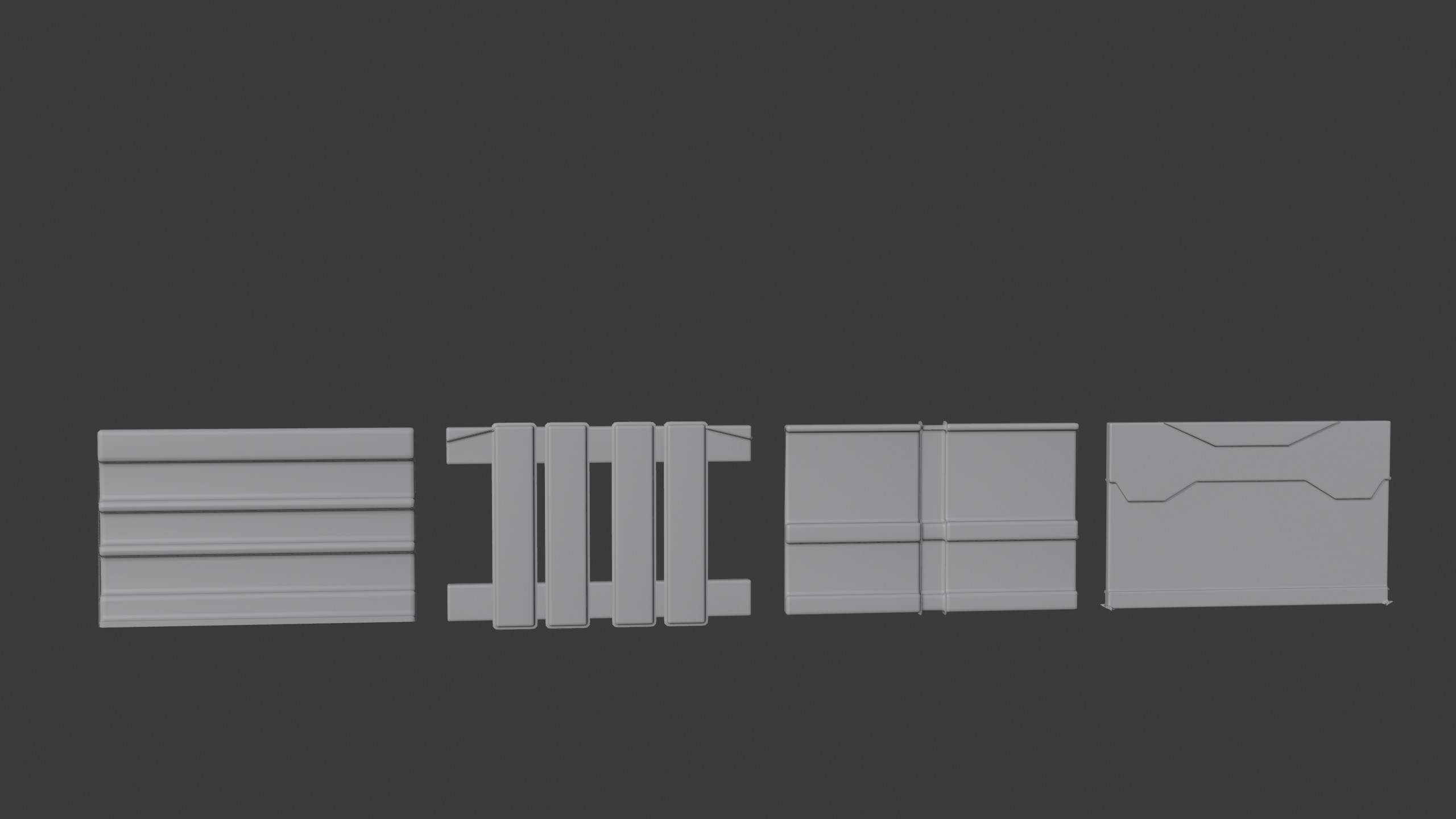
Grid Modeler creates detailed sci-fi panels in seconds
Other Essential Addons
- Auto Rig Pro (~$80): Character rigging made actually doable
- Kitops Pro 3 (~$60): Parametric inserts for adding details
- MachineTools (~$35): Mechanical details and industrial elements
Total addon investment: ~$275
That's a lot of money. But here's the difference: I spent $3,000 on assets I used in specific projects. I spent $275 on tools that improve *every* model I make, forever.
Building Sentinel 2099: The Payoff
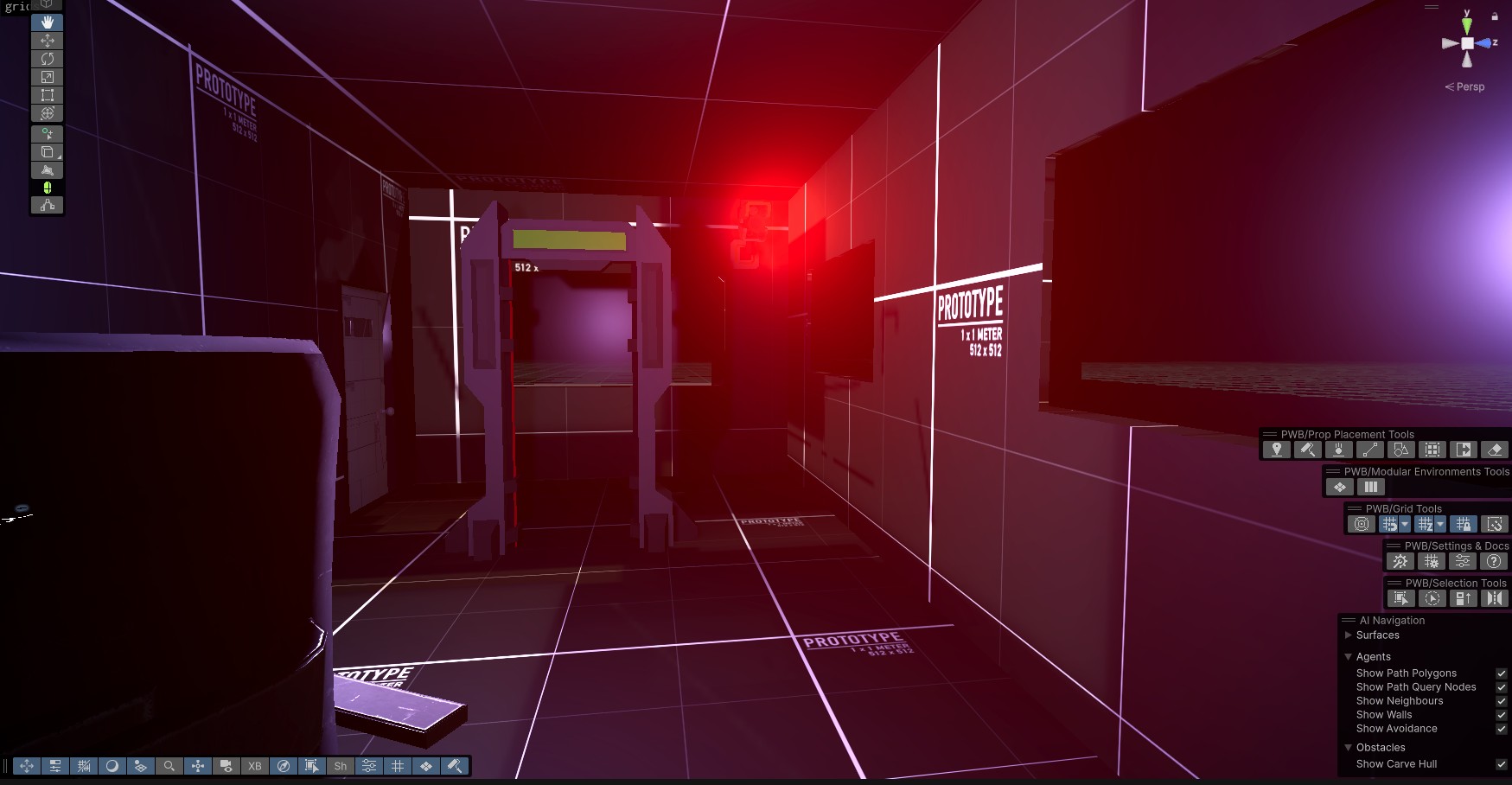
Every element in this Sentinel 2099 corridor was custom-made in Blender
Now, when I work on Sentinel 2099, my workflow looks like this:
- Sketch what I want the level to look like
- Open Blender and build it
- Import into Unity
- Iterate based on gameplay needs
- Adjust in Blender
- Repeat
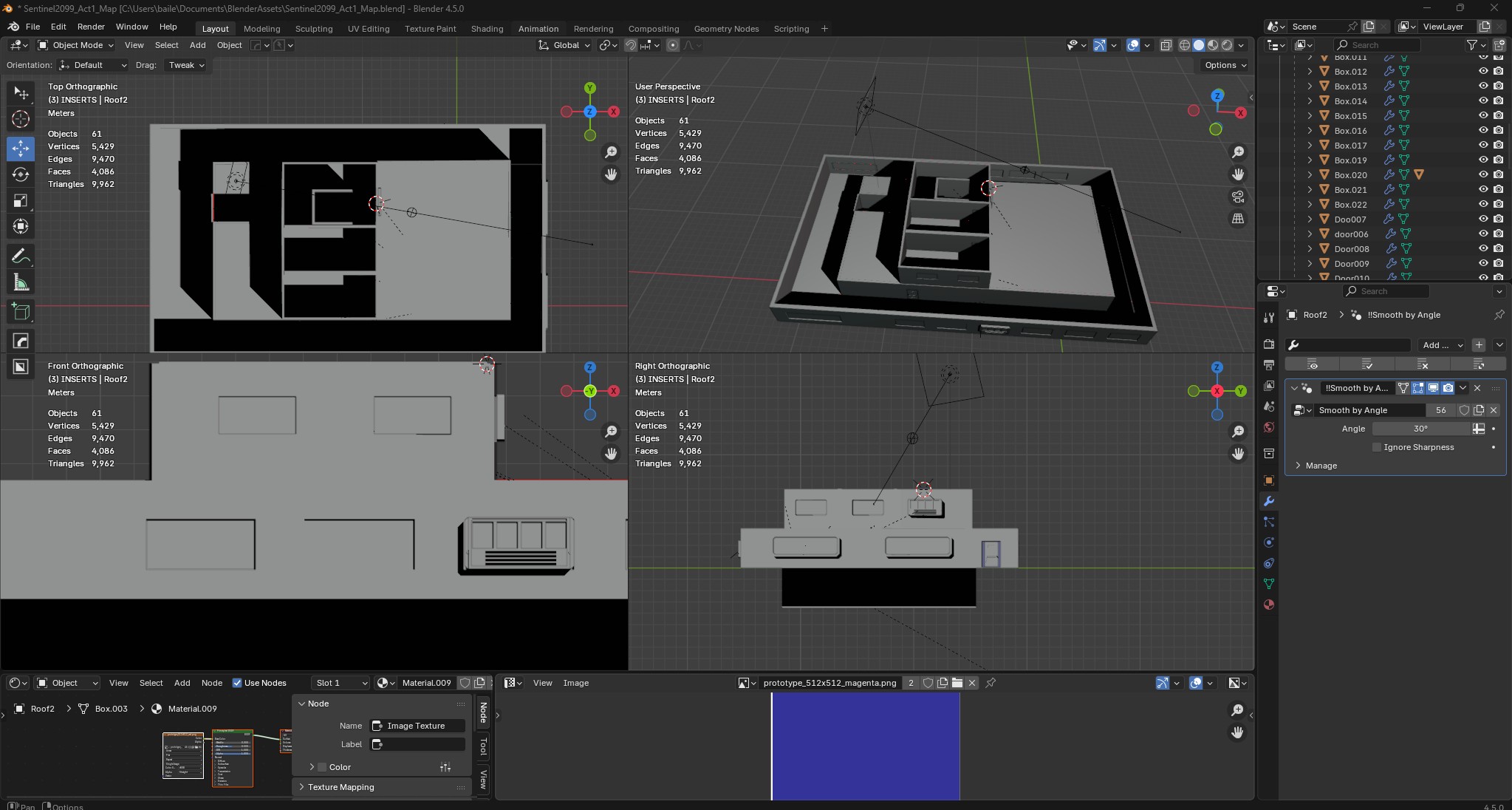
Creating in Blender...
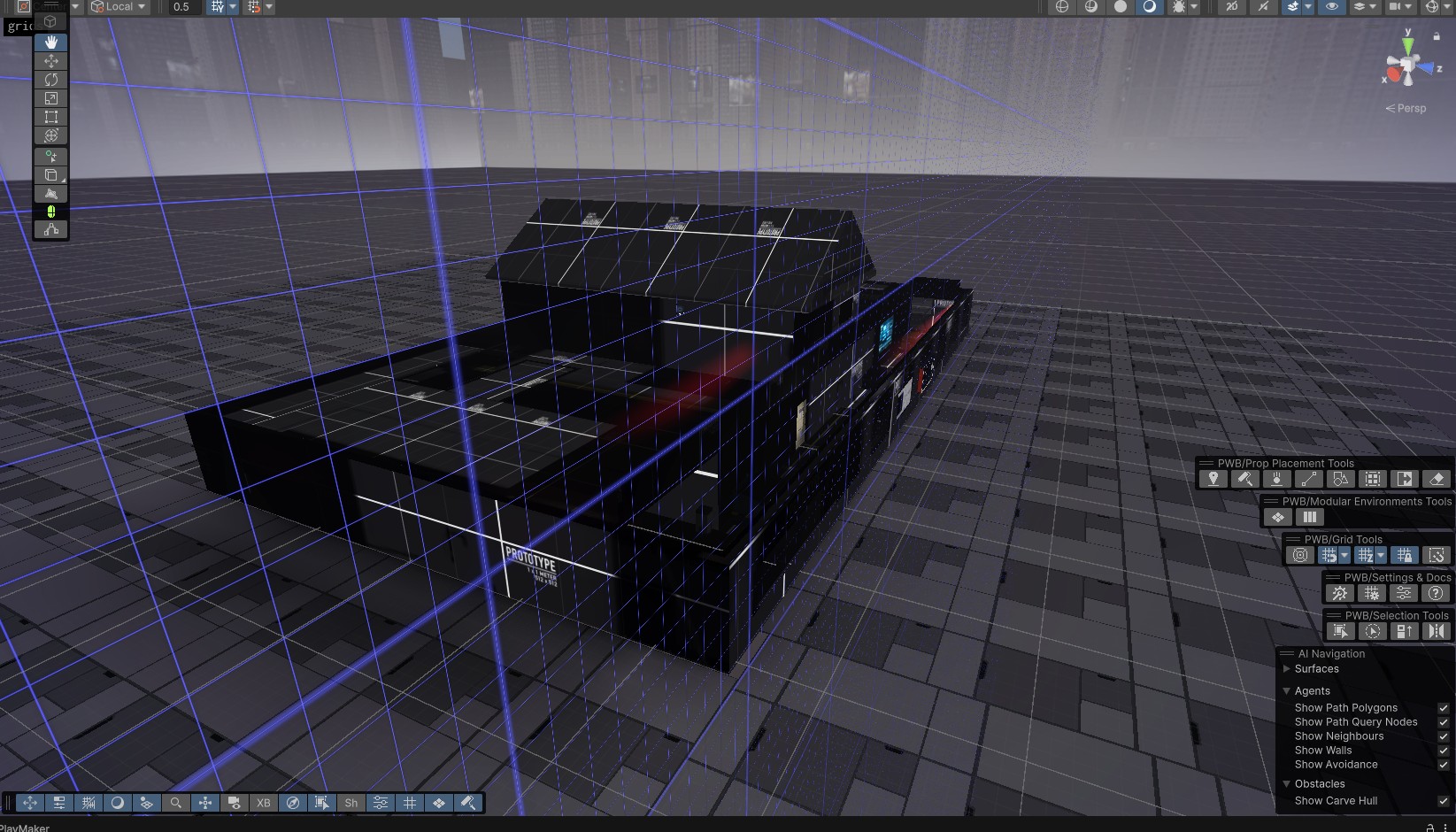
...seeing it in Unity gameplay
The benefits are massive:
- Creative Freedom: If I imagine it, I just make it. No more "close enough" compromises.
- Consistency: Every asset has the same style because they're all made by me.
- Iteration Speed: Need to adjust proportions? Takes 5 minutes vs. days waiting for replies.
- Unique Identity: My game doesn't look like everyone else's sci-fi Unity game.
- Cost Savings: Haven't bought an environment asset in over a year.
The Satisfaction Factor
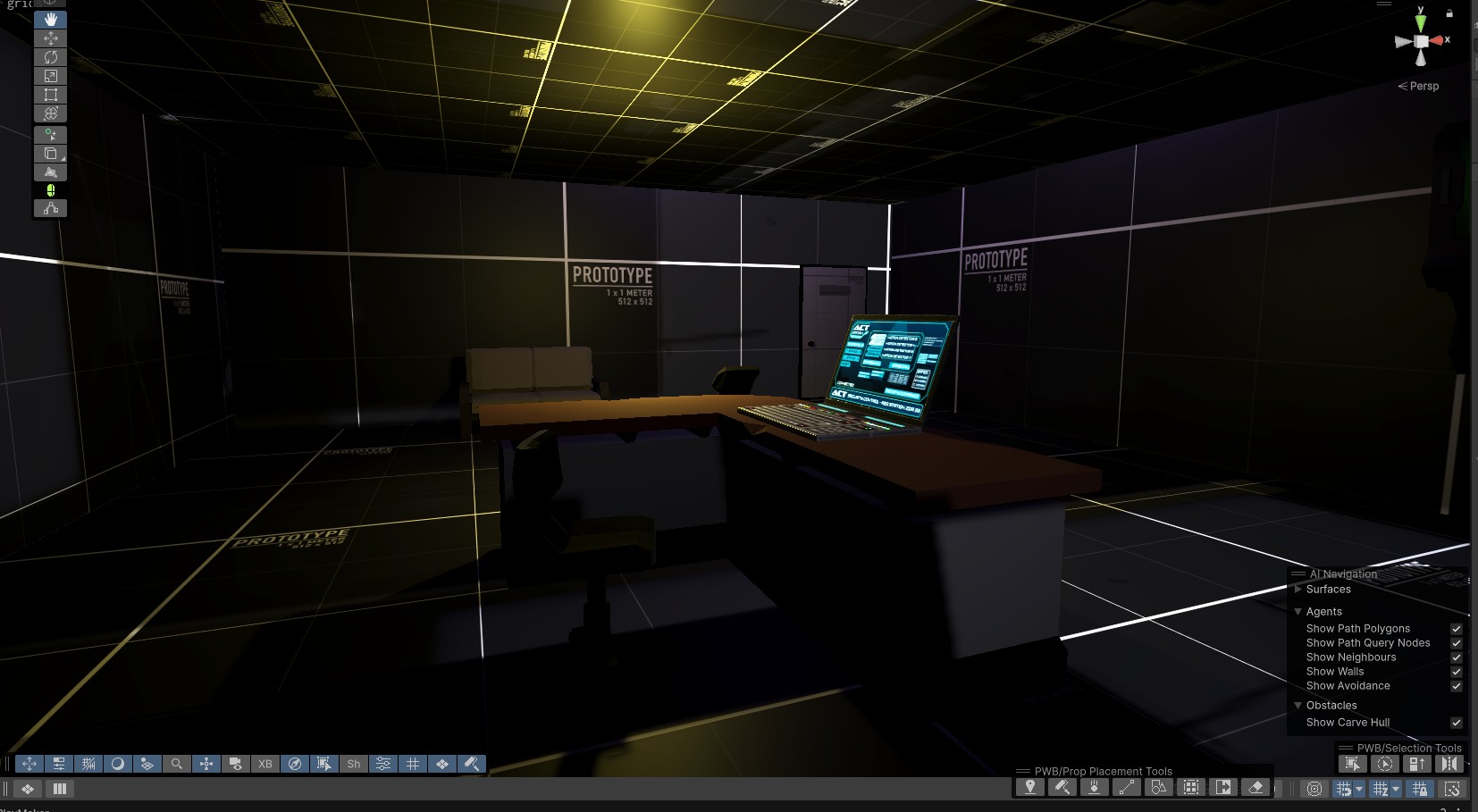
Walking through a world I created - every detail is mine
There's something deeply satisfying about creating an asset in Blender, importing it into Unity, and seeing it in your game.
When I walk through the corridors of Sentinel 2099, I'm not just testing gameplay—I'm seeing my vision come to life. Every wall panel, every door, every terminal is exactly what I imagined.
Was It Worth the Time Investment?
Let's be honest about the time cost:
- Initial learning: ~3-6 months to get comfortable
- Ongoing practice: A few hours per week
- Building proficiency: 1-2 years to get "good"
That's a significant investment. Could I have made faster progress on my games if I'd kept buying assets? Probably.
But here's what I gained:
- A skill I'll use for every future project
- Complete creative control
- No more asset store dependency
- Unique visual identity for my games
- Genuine pride in my work
- Actually saved money in the long run
The honest answer: Yes, 100% worth it.
The only regret I have is not starting sooner.
My Current Workflow: Blender + Unity
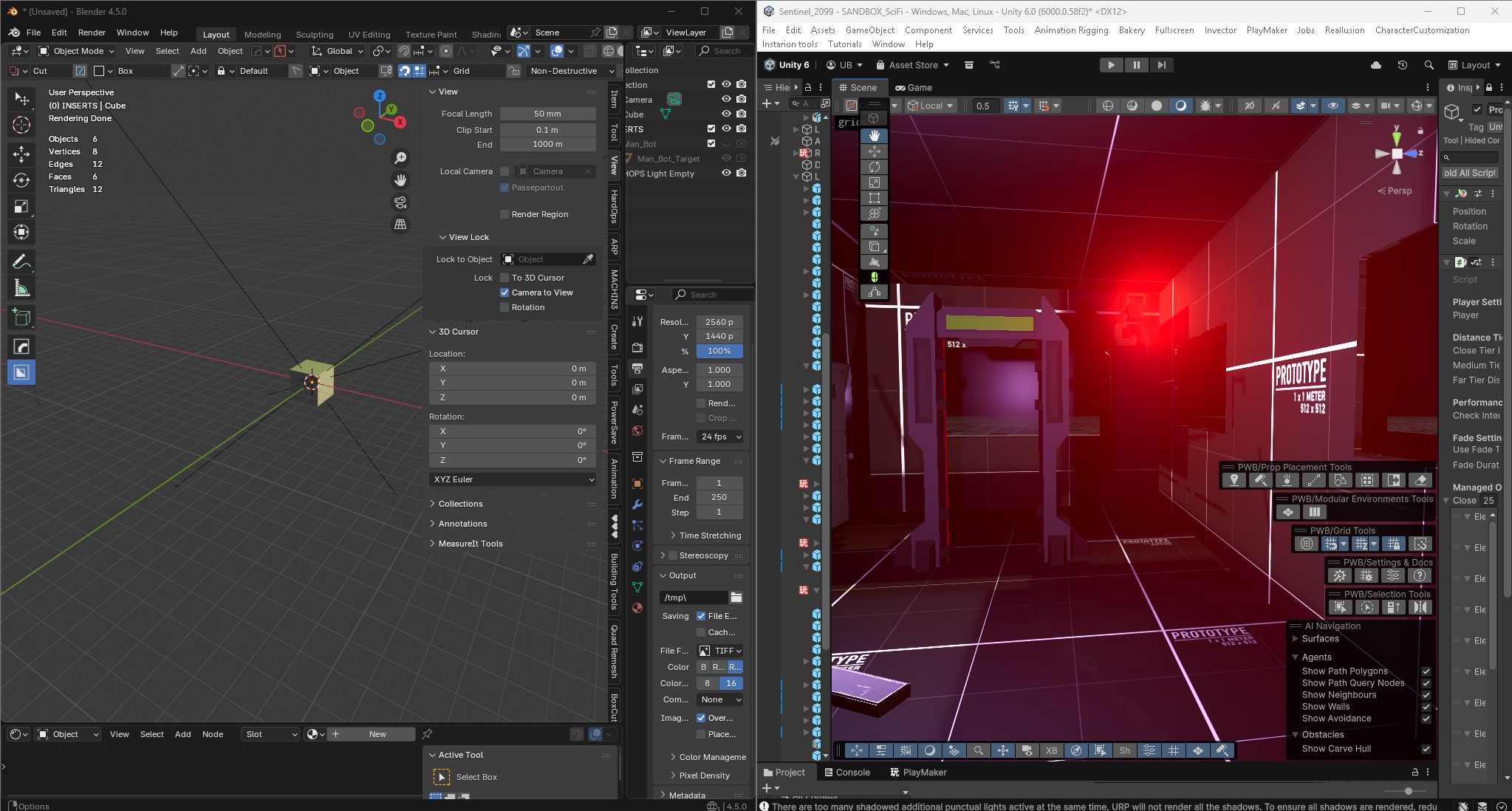
My current workflow - seamless iteration between Blender and Unity
Time per asset:
- Simple prop: 30 minutes - 2 hours
- Detailed prop: 2-5 hours
- Environment piece: 3-8 hours
- Full room/area: 1-3 days
Compare that to searching the Asset Store for hours, buying multiple packs, trying to make them work together, and still not getting exactly what you want.
What I Wish I Knew Earlier
Top 6 Lessons:
- Start with hard surface modeling, not organic (sci-fi props are easier than characters)
- Focus on game-ready assets, not render beauty
- Learn UV unwrapping early
- Keyboard shortcuts are non-negotiable
- Proportions matter more than detail
- Test in Unity constantly
Essential Blender Addons: Quick Reference
| Addon | Price | Best For | Must-Have? |
|---|---|---|---|
| BoxCutter + Hard Ops | $40 | Hard surface modeling | Yes (sci-fi) |
| DecalMachine | $40 | Surface details | Yes |
| Grid Modeler | $20 | Sci-fi panels | If making sci-fi |
| Auto Rig Pro | $80 | Character rigging | If rigging characters |
| Kitops Pro 3 | $60 | Detail inserts | Nice to have |
| MachineTools | $35 | Mechanical details | Nice to have |
Total for essentials: ~$140-200 (depending on your needs)
Still way less than $3,000 in asset packs.
The Bottom Line: Should You Learn Blender?
My journey: From terrible first attempts to professional-looking game assets
Learn Blender if:
- You keep compromising your vision due to asset limitations
- You're spending significant money on assets monthly
- You want complete creative control
- You're willing to invest 3-6 months learning
- You make games that need custom assets
Maybe skip it if:
- You're making a very short-term project
- Your game relies entirely on existing asset packs
- You genuinely enjoy only programming
- You have budget to hire a dedicated 3D artist
Final Thoughts
Sentinel 2099 - a world that exists exactly as I envisioned it
I spent $3,000 on assets before learning Blender. I don't regret those purchases—they helped me make games when I couldn't make assets. But I do wish I'd started learning sooner.
Now, working on Sentinel 2099, creating exactly the dystopian sci-fi world I envision, I realize: The limitation was never money or time. It was fear.
Fear of learning something new. Fear of not being "artistic enough." Fear of the initial struggle.
If you're reading this and you're in that same place—stuck between buying assets and learning to create—I hope my story helps. The learning curve is real, but it's not insurmountable. The time investment is significant, but it pays off.
And that feeling of walking through a game level you designed and modeled yourself? Absolutely worth it.